
Web site: play.google.com/store/apps/details?id=com.onyx.galaxy.global.note
Category: Office
Subcategory: Notes
Platform: Android
License: Freeware
Interface: GUI
Wikipedia:
First release: 2025
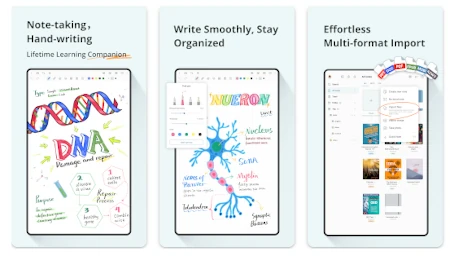
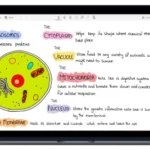
StarNote – a handwriting and PDF annotation app designed for seamless note-taking on your Android tablet. Whether you’re a student, a professional, or a pen-and-paper enthusiast, StarNote offers power and flexibility.
Immersive Handwriting
• Optimization for S Pen and styluses ensures a smooth, low-latency writing experience.
• One-stroke rendering refines drawings and shapes, familiar to GoodNotes® and CollaNote™ users.
• Importing your own fonts makes handwriting clearer and more polished, with options recognizable to Notability® users.
• Full-screen mode lets you focus on creating and editing with a natural, paper-like flow.
Powerful Study Tools
• Use the “tape” during review to cover answers or key points and check understanding.
• The ruler helps you draw straight lines and take precise measurements, keeping your note layout in check.
• A built-in timer organizes your study sessions and maintains focus.
• Open an infinite note to expand content and organize ideas without limits, with the creative freedom appreciated by many Notability® users.
Advanced PDF tools for productive reading
• PDF annotation (highlighting, commenting, drawing, content extraction) – results comparable to GoodNotes®, with capabilities similar to Notability®.
• Margin adjustments to expand writing space without changing the original layout.
• Split view allows you to read PDFs and take notes side-by-side.
Intelligent file management
• Organize notebooks into folders and tag content for easy finding.
• Sync with Google Drive for secure copying and access across multiple devices, with a convenience similar to Notability®.
• Protect sensitive notebooks with encryption.
Beautiful styles for personalizing notes
• Templates: Cornell, grid, dots, planners and journals for studying, brainstorming, and planning.
• Customizable themes, including Pro options and custom color schemes, for a consistent look.
• Stickers (labels, arrows, icons, shapes) to highlight and color code content.

there are to many notes application to make sure which one is the best