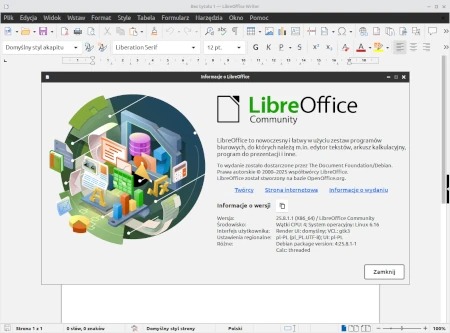
Web site: www.libreoffice.org
Category: Office
Subcategory: Office Suite
Platform: Linux, BSD, OS X, Windows, Unix, Solaris, iOS, Android
License: MPL
Interface: GUI
Wikipedia: LibreOffice
First release: January 25, 2011
LibreOffice – a powerful, multi-platform, free and private office suite – the successor project to OpenOffice. It’s compatible with Microsoft Office (365) and is backed by a non-profit organisation, The Document Foundation. LibreOffice includes Writer (word processing), Calc (spreadsheets), Impress (presentations), Draw (vector graphics and flowcharts), Base (databases), and Math (formula editing).
It was created on the source code of OpenOffice.org (now Apache OpenOffice), which in turn was based on StarOffice.
Components:
– LibreOffice Writer – word processor
– LibreOffice Calc – spreadsheet
– LibreOffice Impress – presentation editor
– LibreOffice Draw – vector graphics editor
– LibreOffice Math – mathematical formula editor
– LibreOffice Base – database creation and management application (relational database management system, RDBMS).
The primary document format in LibreOffice is the OpenDocument Format for Office Applications (OpenDocument), an open ISO standard describing the file format for office suites. By default, LibreOffice uses version 1.2 of the standard, supplemented with proprietary extensions to improve compatibility with the Office Open XML format (used by Microsoft Office). A list of extensions is publicly available, and most have been submitted to OASIS for inclusion in future versions of the OpenDocument standard. Users can change the version of the standard used to create new files in the program settings.
Additionally, the suite supports reading and writing documents in the following formats: DOC, XLS, PPT, RTF (Microsoft Office 97-2003), DOCX, XLSX, PPTX (Microsoft Office 2007 and later), CSV, TXT and HTML; it only reads documents in the following formats: CWK (AppleWorks 6.0), DXF (AutoCAD), MW (MacWrite Pro 1.5), PUB (Microsoft Publisher 98 – 2010), WN (Write Now 4.0) and others. LibreOffice supports graphics in the following formats: BMP, CDR (Corel Draw), EMF, GIF, JPG, PNG, PSD (Adobe Photoshop), SVG, VDX, VSD (Microsoft Visio) and WMF. All documents can be exported to PDF format.
LibreOffice is also available in portable versions. The portable version has the same features as the standard version, but does not require installation on a computer. Simply unpack it onto a portable device (e.g., a flash drive or memory card) and run it from there. All user settings are also saved on the portable device. Official portable versions of LibreOffice are created by PortableApps.com in cooperation with The Document Foundation.